Basic Instruction

Welcome to the Taskforge Webflow Template. This documentation will guide you through the structural foundation of the template, helping you customize layouts, manage global styles, and control advanced animations to fit your specific SaaS product.


Basic Setup

Welcome to the Taskforge Webflow Template. This documentation will guide you through the structural foundation of the template, helping you customize layouts, manage global styles, and control advanced animations to fit your specific SaaS product.
Global Site Settings
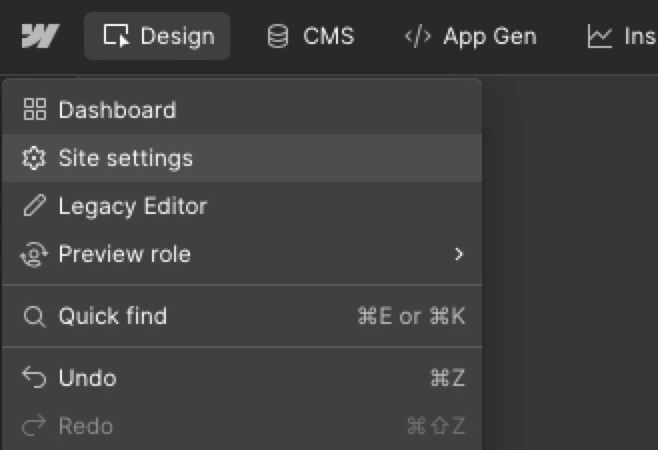
Navigate to your Site/Project Settings. Here, you should immediately update the Site Name, Favicon (32x32px), and Webclip (256x256px).

Connecting the CMS

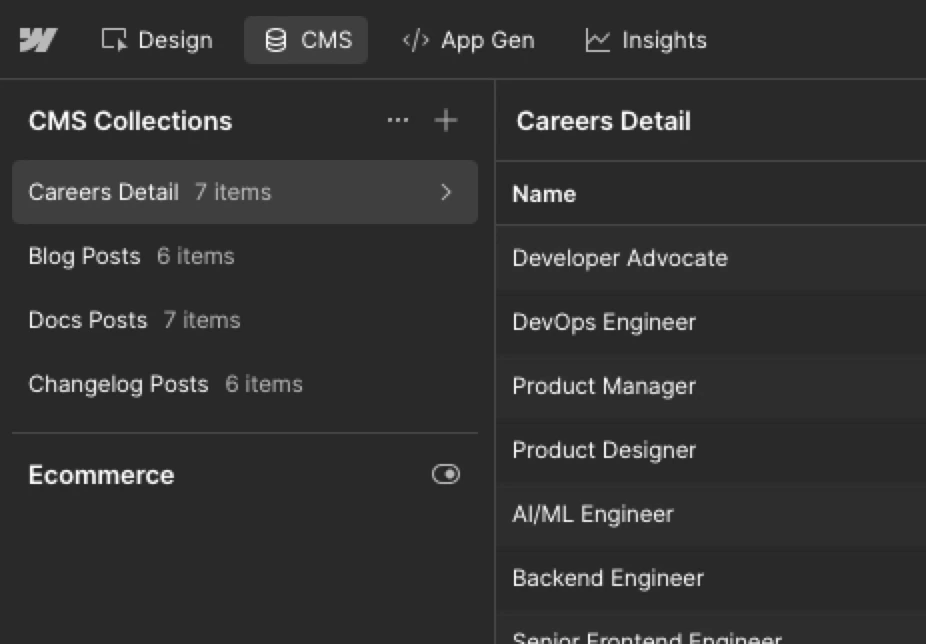
If you are using the Blog, Changelog, or Careers pages, navigate to the CMS panel to review the sample data. Update the author profiles and company categories before publishing.

GSAP Custom Code & Scripts

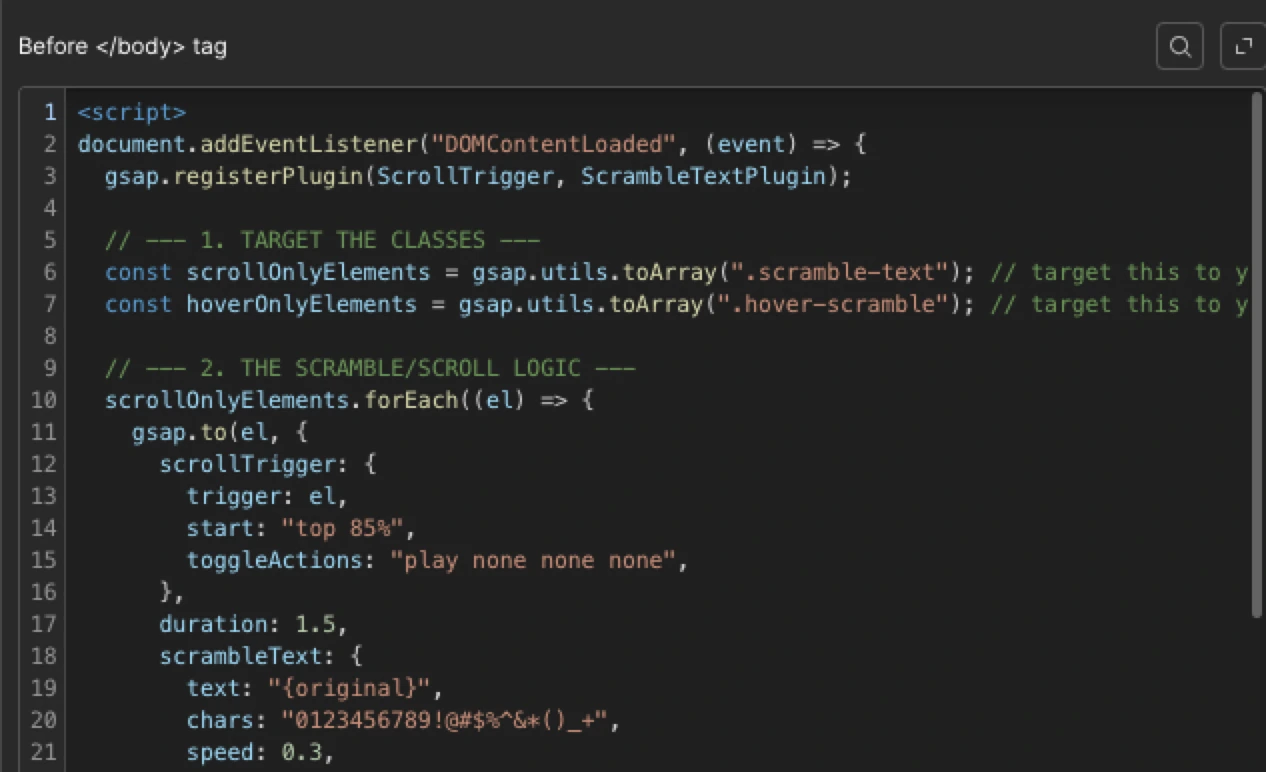
Taskforge utilizes custom code for specific interactions. Ensure you do not delete the scripts located in the Page Settings > Before </body> tag, as these power the advanced features.
Edit Text Content

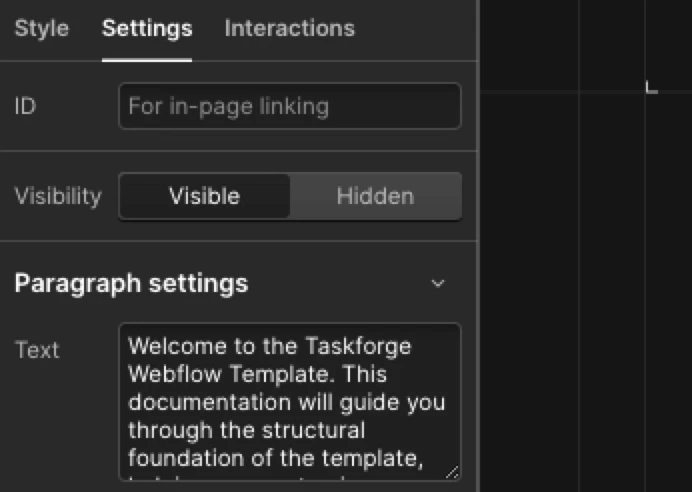
To modify a text element, select it and navigate to the settings tab on the right panel. Enter your desired text in the text block settings. Alternatively, double-click directly on the text to edit it in place. Utilize the Content Editor role to concentrate on refining your content.

Modify Media

To adjust media elements like icons or images, begin by selecting the image you wish to change. Proceed to settings and select 'replace image.' Verify that the replacement image aligns with the original dimensions (size)  to ensure proper placement.

Publishing

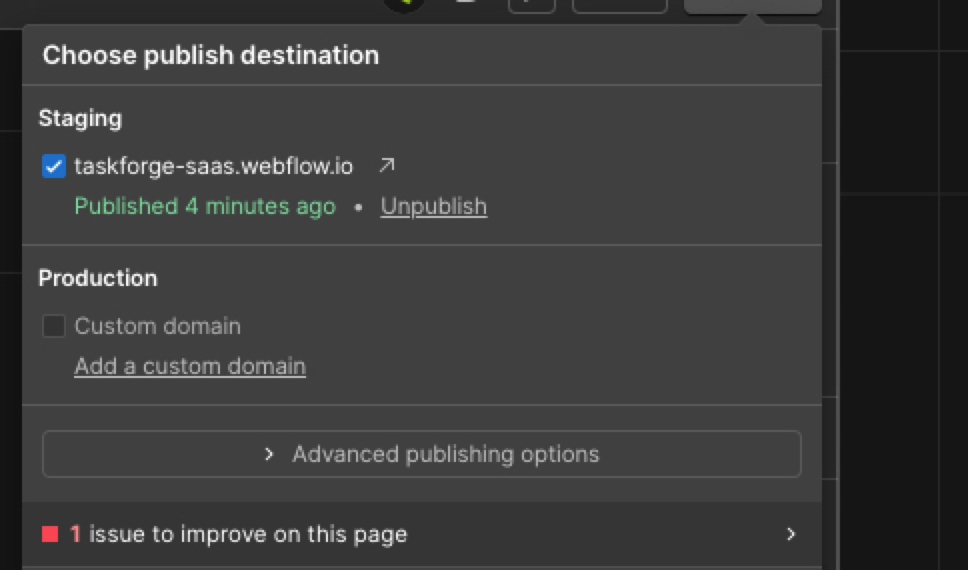
Always publish to the .webflow.io staging domain first to test form submissions and animations across different breakpoints.

Variables (Global Styles)

Taskforge is built using Webflow’s native Variables system. This allows you to completely re-theme the dark aesthetic in just a few clicks without manually editing individual elements.

Accessing Variables
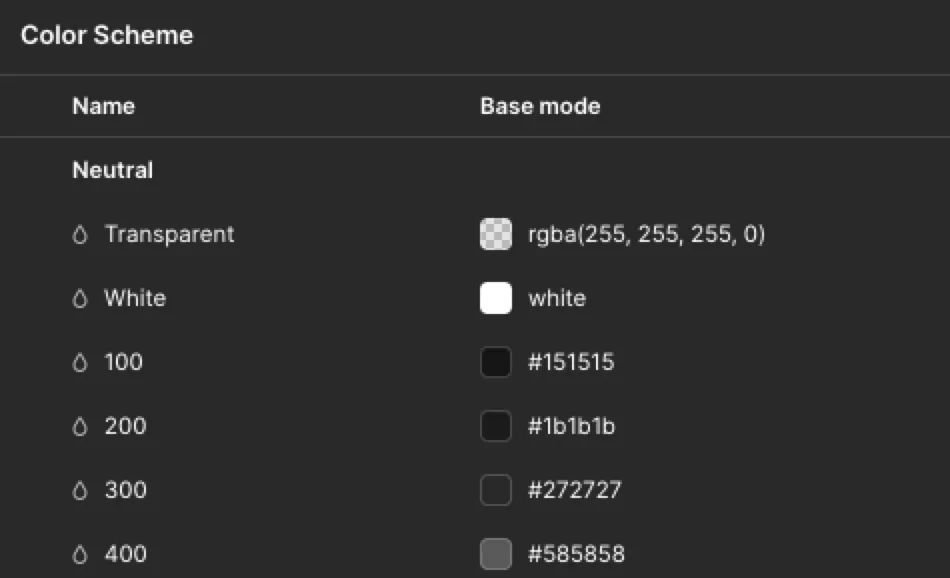
To access the Variables Panel, simply press the 'V' key on your keyboard. This shortcut provides a quick way to open the panel, allowing you to efficiently manage and adjust global styles.

Color System

You will find a structured palette (e.g., neutral colors 100-600, accents, success and error state). To change the core brand color across the entire site, simply edit the Color scheme. The change will cascade instantly.

Typography Variables

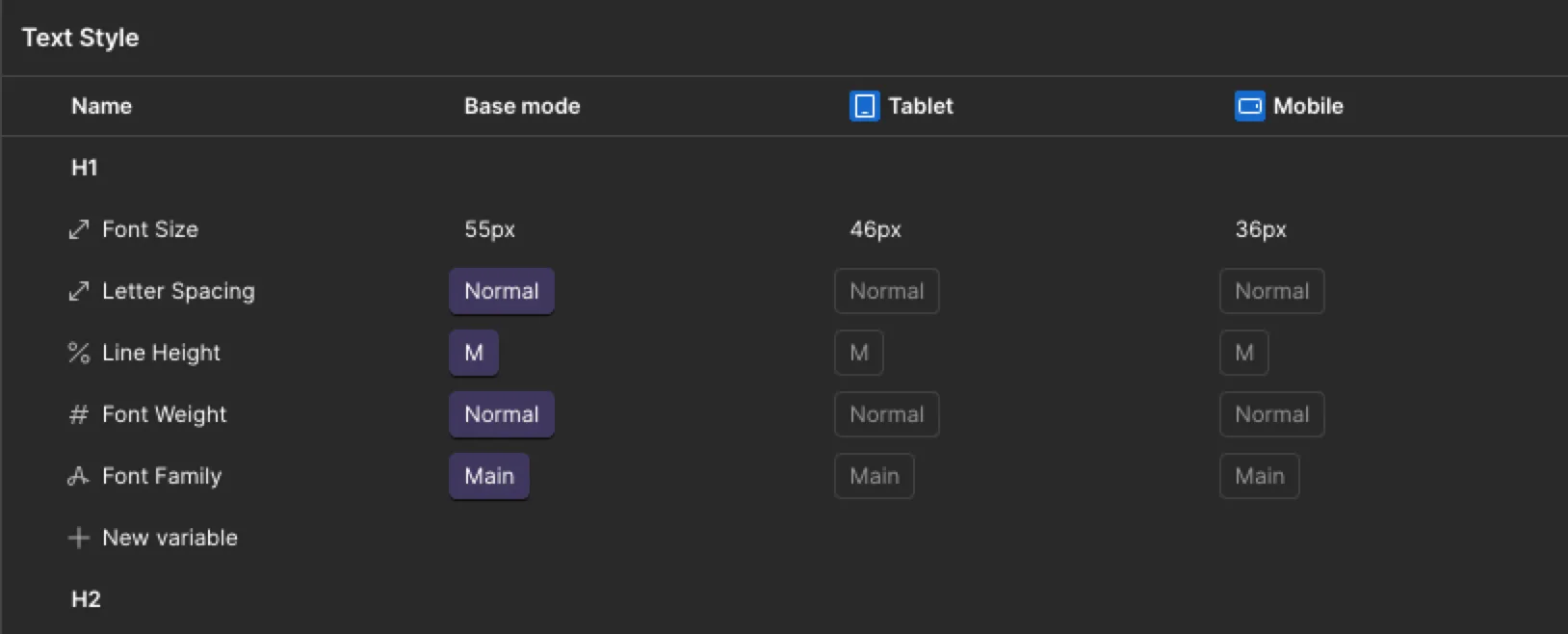
Font families and base sizing are also controlled here. To change the default font or apply a custom typeface, use the variable to update all headings and paragraphs at once, ensuring perfect kerning and vertical rhythm, apply it to the <Font-Family-Primary> variable to update all headings and paragraphs simultaneously while maintaining perfect kerning and vertical rhythm.

Spacing Variables

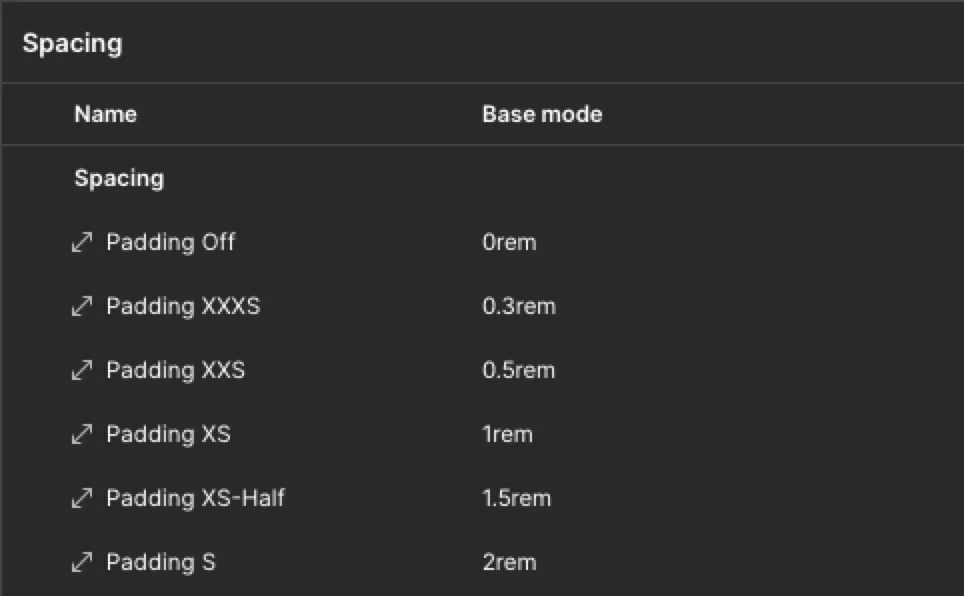
The spacing variables are built to ensure consistency in dimensions, gaps, and padding across elements. Our system offers a comprehensive range from Padding XXXS to XXXL, each clearly labeled for ease of understanding. To remove padding, select 'Padding Off' for the specific element.

Pro tip: Use classes for individual changes to maintain consistency and avoid disrupting the layout's balance.

Content Width

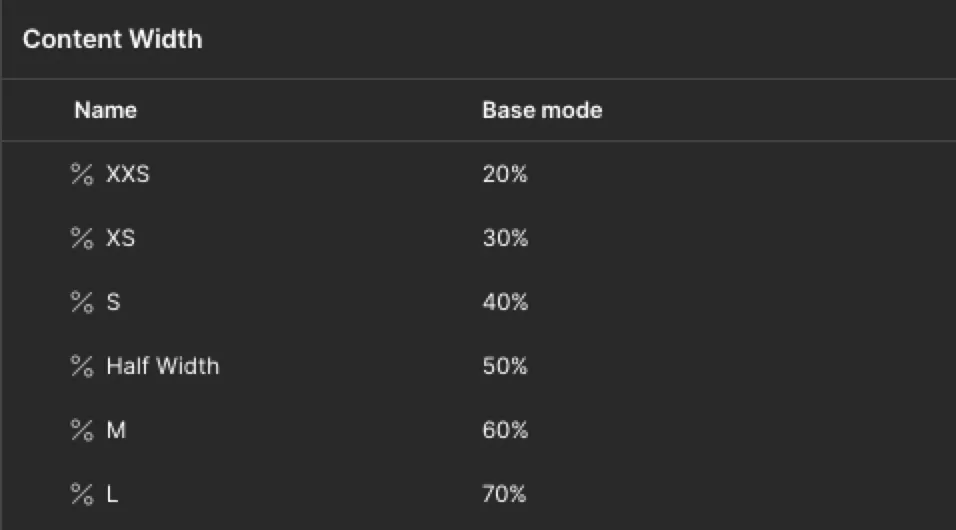
Each content block within a <div> has its own content width settings to maintain a balanced layout and ensure consistency. To edit or create your own layout, adjust it using the content width variable. Use classes for consistency, allowing quick application to any element.

TaskForge's content width system offers sizes from XXS (20%) to Full-width (100%), supporting a balanced layout.

Components

To ensure a consistent and trustworthy layout across more than 25+ pages, we have developed sections and specific components for recurring UI elements.
Finding Components

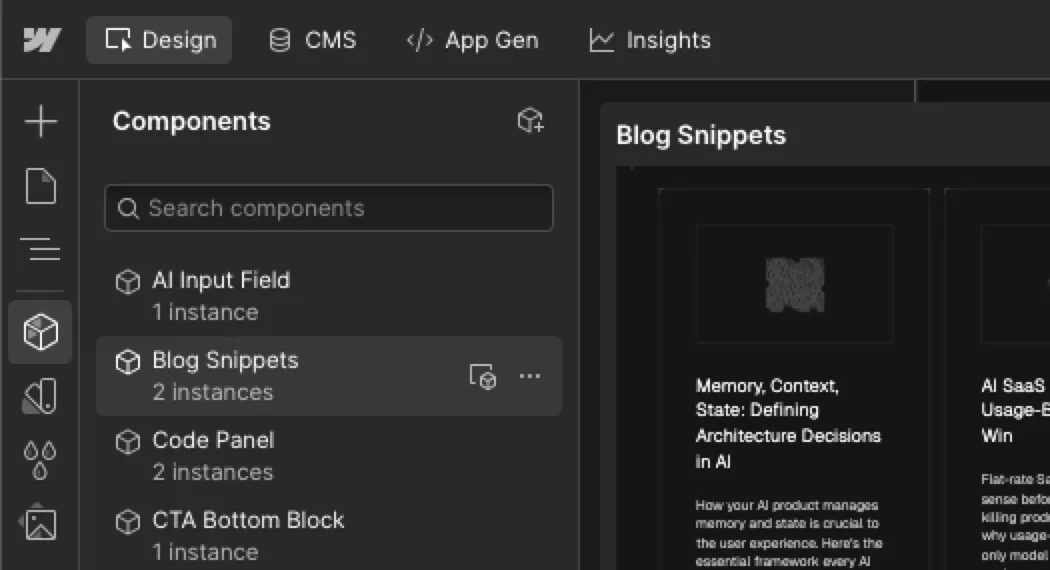
Open the Components Panel (shortcut: Shift + A). Here you will find Navbars, Footers, Feature Cards, CTA sections, etc.
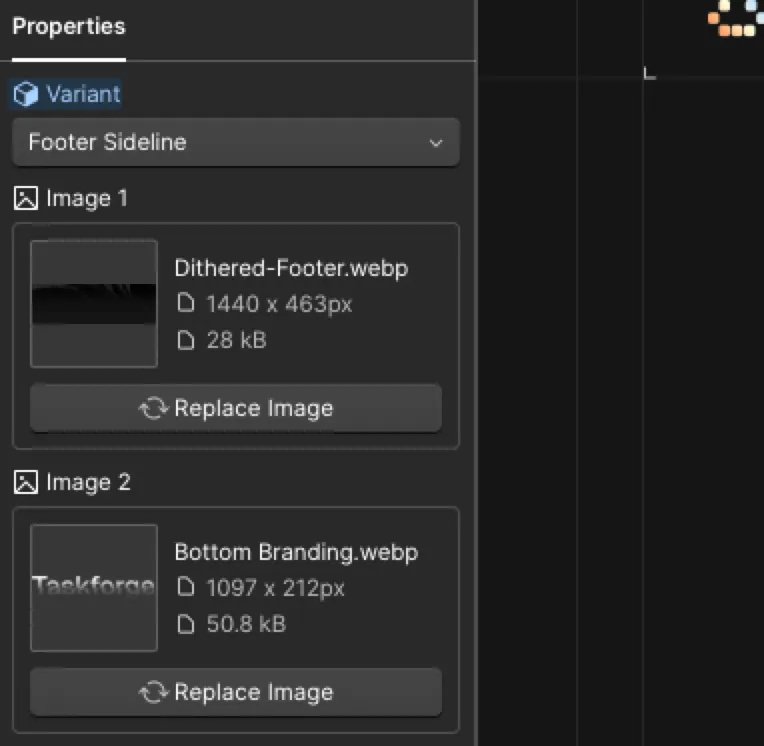
Component Properties
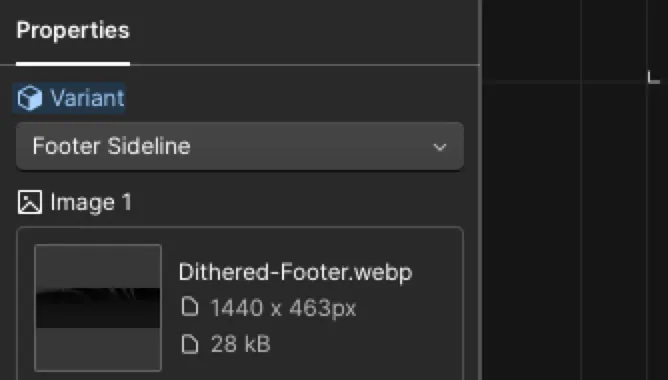
When you drag a component onto the canvas, use the Component Properties Panel on the right. You can easily swap out text, icons, and link destinations without "Unlinking" the component.

Component Variant

Some components are built with variants to harmonize with the overall layout or sections. For example, the <Footer> component includes a <Footer Sideline> to add a side outline, or a <Footer No Brand> to remove the branding element.

Global vs. Local

Editing the Master Component (by double-clicking into it) will change that element on every page. Only do this if you are changing the fundamental layout or adding a new link to the footer.

Class Function &
Naming Convention

Taskforge uses a clean, predictable class naming convention to ensure scalable CSS and prevent styling conflicts.
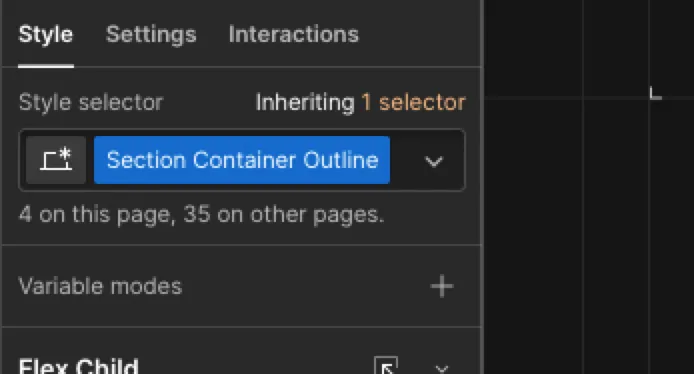
Utility Classes
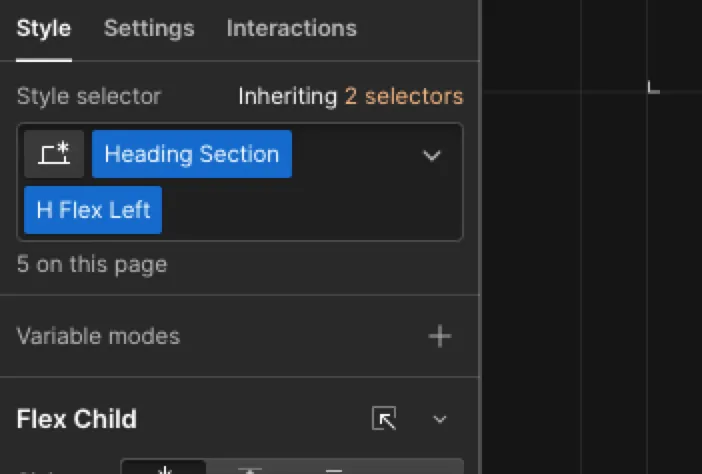
You will see classes like <Padding Top XL>, <M Content Width>, <XXS Padding>, <Top Line Off> or <Mobile Hidden>. These do exactly what they say. You can stack these utility classes onto base elements to adjust spacing quickly.

Combo Classes

Core elements have a base class (e.g., <Secondary Button>). To create a variation, we use combo classes (e.g., adding <Outline> to make it a transparent outlined button).

Container System

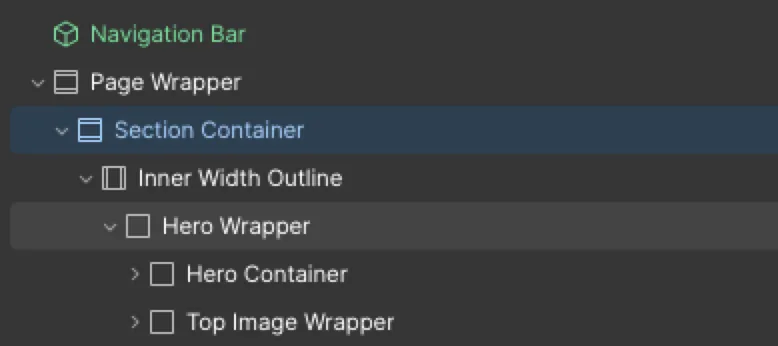
All content is wrapped in a <Section Container> or <Inner Width> class. Do not alter the maximum width of these containers unless you want to change the global grid structure of the entire website.

GSAP Animation System

Taskforge includes advanced scroll and text animations powered by GSAP (GreenSock), including <ScrollTrigger> integration. We have using the custom GSAP code so you can control animations without writing JavaScript.

Scramble Text Scroll

To activate the scramble text effect as you scroll, select the text and apply the class <.scramble-text>. The text will scramble automatically when it becomes visible on the screen during scrolling. You can see this effect on divider component.

Scramble Text Hover

To activate the scramble text effect as you hover it, select the text and apply the class <.hover-scramble>. The text will scramble automatically when you hover it. You can see this effect on navigation menu and some buttons.
1<script>
2document.addEventListener("DOMContentLoaded", (event) => {
3  gsap.registerPlugin(ScrollTrigger, ScrambleTextPlugin);
4
5  // --- 1. TARGET THE CLASSES ---
6  const scrollOnlyElements = gsap.utils.toArray(".scramble-text"); // target this to your scramble cla
7  const hoverOnlyElements = gsap.utils.toArray(".hover-scramble"); // target this to your hover class
8
9  // --- 2. THE SCRAMBLE/SCROLL LOGIC ---
10  scrollOnlyElements.forEach((el) => {
11    gsap.to(el, {
12      scrollTrigger: {
13        trigger: el,
14        start: "top 85%",
15        toggleActions: "play none none none", 
16      },
17      duration: 1.5,
18      scrambleText: {
19        text: "{original}",
20        chars: "0123456789!@#$%^&*()_+",
21        speed: 0.3,
22      }
23    });
24  });
25
26  // --- 3. THE SCRAMBLE HOVER LOGIC ---
27  hoverOnlyElements.forEach((el) => {
28    // Create the animation for this specific element
29    let hoverAnim = gsap.to(el, {
30      duration: 0.8,
31      paused: true,
32      scrambleText: {
33        text: "{original}",
34        chars: "X01@#&%", 
35        speed: 0.5,
36      }
37    });
38
39    // Add the "Listener" to trigger the animation on hover
40    el.addEventListener("mouseenter", () => hoverAnim.play(0));
41  });
42});
43</script>

Modifying the Code
To change the scramble text with your own, go to <line 20> or <line 34> in the code and replace the characters after <chars:"your custom characters",>. Additionally, you can adjust the duration, speed, and start timing that placed next to the characters. After making changes, save the code, publish, and test the effect.

Troubleshooting

If an animation is not firing, check your browser console for script loading errors, or ensure that the element does not have an overriding <Overflow: Hidden> property that might be clipping the GSAP transform.

For more advanced instructions, please refer to the GSAP Docs & Learning.

Need Help?

New to Webflow? No worries! Get started with Webflow University's 101 Course. If you have any questions, please do not hesitate to contact us.


const next = await fetch("https://api.example.com/end-section");
Black and white grid pattern with black dots at the intersections, forming a repeating checkered design.